
ESC/POS emulator: preview and debug receipts without a printer
Stop printing a test receipt every time you move a column. Render ESC/POS to a PNG in your browser, or turn your laptop into the printer and watch what your POS actually sends, byte by byte.
If you have ever wired up a thermal printer, you know the loop:
- Move a column.
- Print.
- Squint at 58mm of paper.
- The total is off, or the euro sign came out as
?. - Go back to 1.
Every round costs paper, a walk to the printer, and about ninety seconds. And when it comes out wrong, you still do not know why. You never see the bytes.
Two things fixed this for me. Both run on your machine, and neither needs a printer plugged in. They are part of ESCPost, our open-source Rust CLI. Apache-2.0, no account, works offline.
Draw the bytes on screen
ESC/POS is just bytes. If you know the printer's geometry, you can draw them on screen instead of on paper.
escpost render receipt.hex --profile REFERENCE --output-dir renderings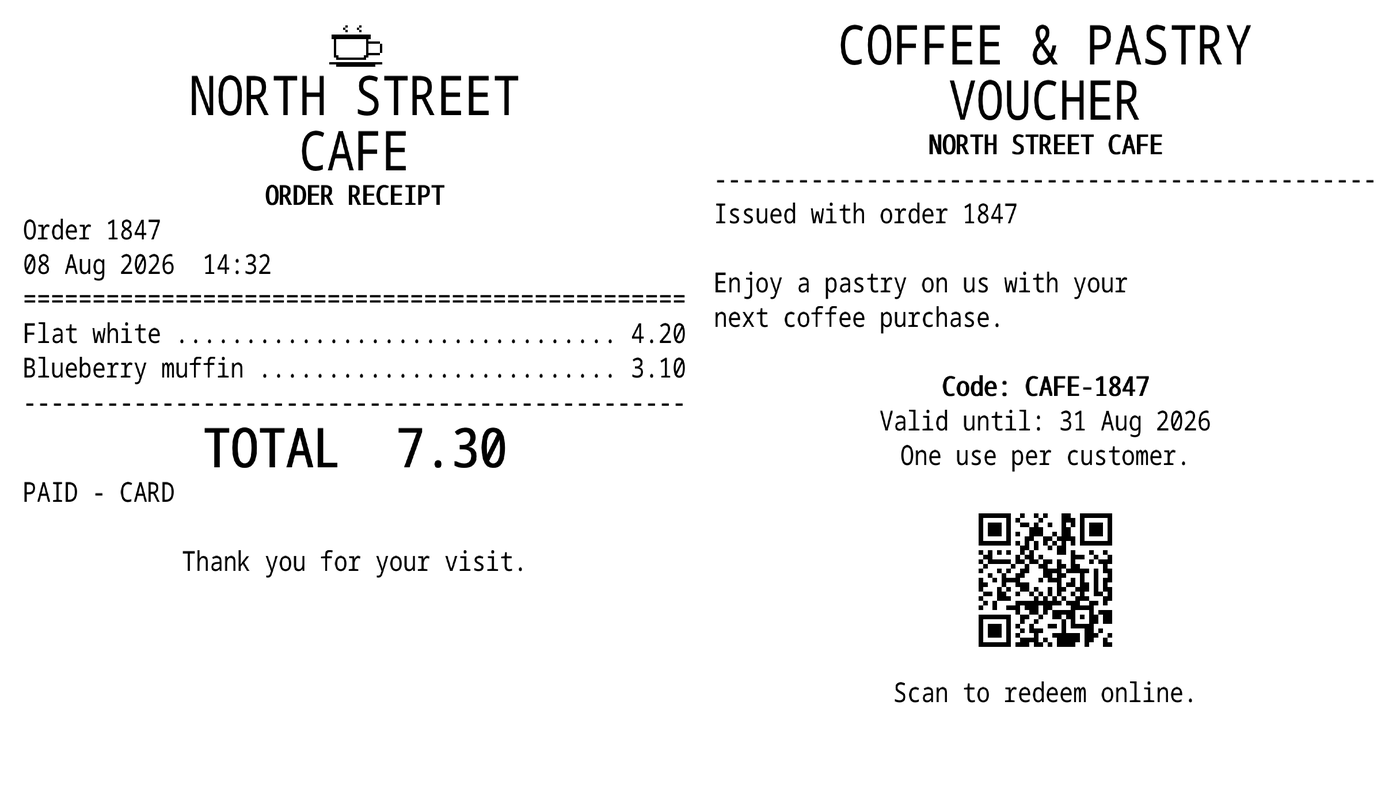
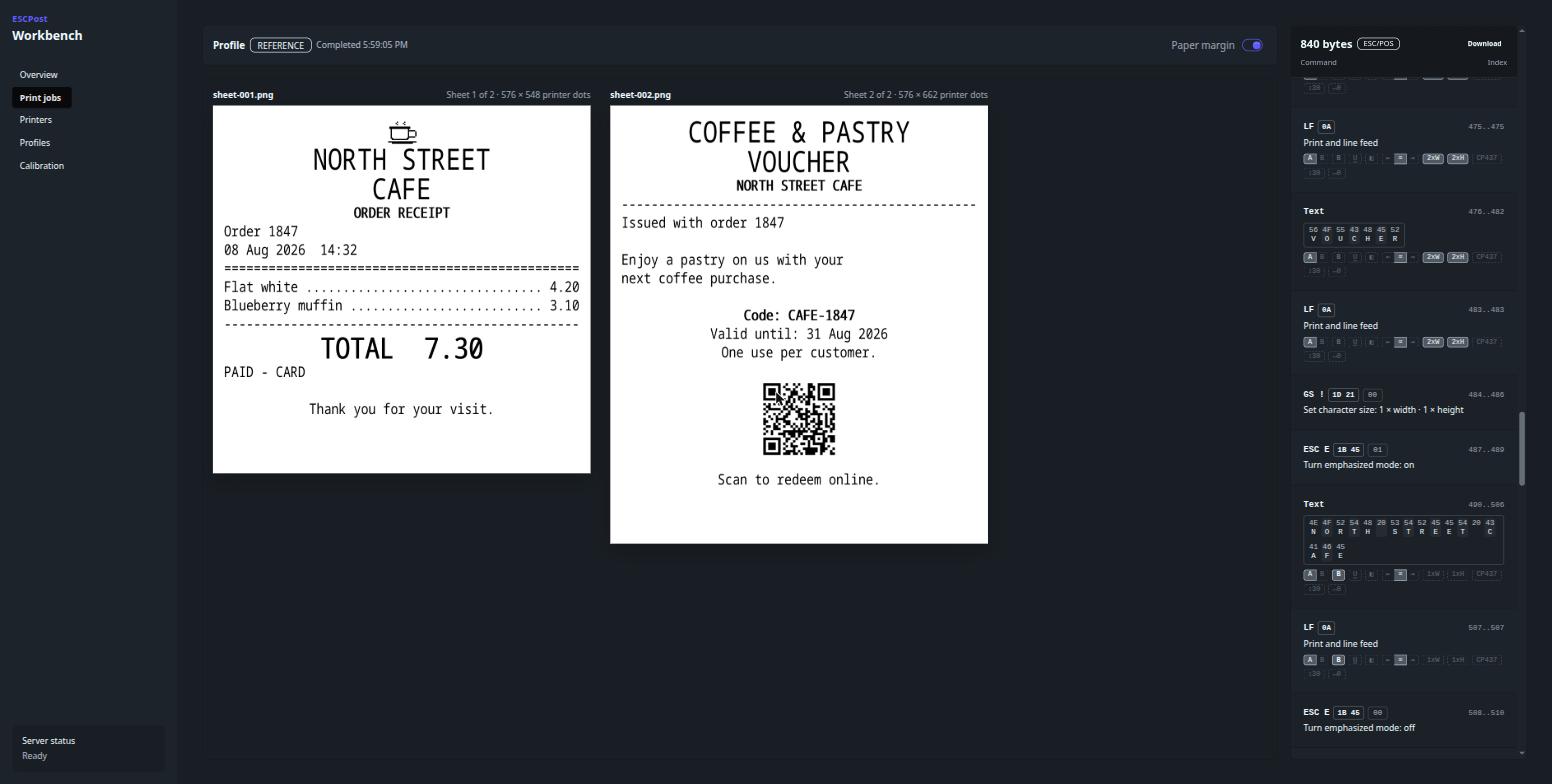
Logo, header, item columns, a double-height total, then a voucher with a QR code. It is drawn at the printer's own dot resolution, so the spacing you see is the spacing you get.
Two files came out because the job has a cut in it. You get one PNG per sheet plus a manifest listing them.
It reads stdin too:
generate-receipt | escpost render - --profile REFERENCE > receipt.pngNow your receipt code has a visual test. Three seconds a round instead of ninety. And since the render is deterministic, you can commit those PNGs and diff them in CI. That catches the refactor that shifted your tax column, before it reaches two hundred shops.
Become the printer
Most of the time the interesting bytes come from software you did not write. An ERP, a POS suite, some legacy Windows thing. You cannot see what it sends.
Nearly all of them print over RAW TCP on port 9100. So pretend to be the printer:
escpost serve --listen 127.0.0.1:9100 --web-listen 127.0.0.1:9000 --profile REFERENCEPoint the application at that address and hit print. Nothing reaches paper. The job opens in your browser instead.
Sheets on one side, the decoded commands on the other, in order, with byte offsets.
Down to the single character
Each text command shows the raw bytes, with the character each one printed underneath.
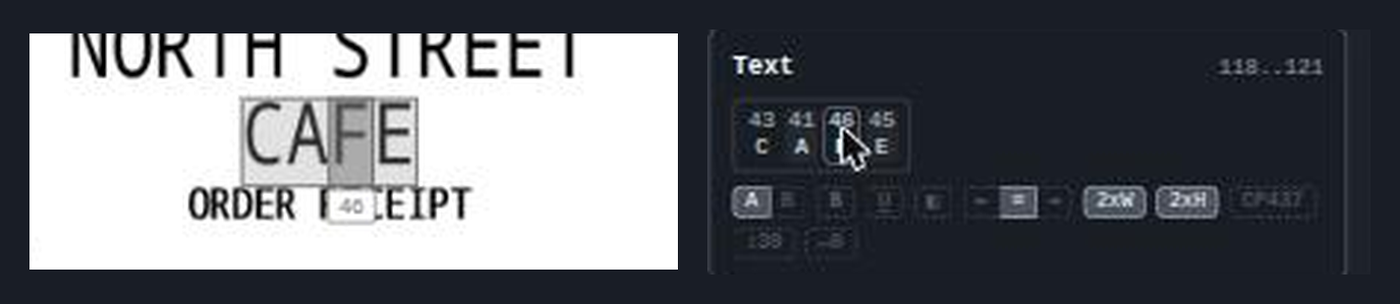
Point at a byte and ESCPost boxes that exact character on the paper and labels it with its hex value. Above, byte 46 is the F in CAFE. It works the other way round too. Point at a command and it outlines everything that command painted.
It even works for characters you cannot see. Point at a 20 and it boxes the blank space the printer held open for it.
The chips under each run show the printer state at that moment: font, bold, underline, alignment, character size, and the code page in use. So when the euro sign prints as ?, you stop guessing. Find the byte, read the code page sitting next to it, and you have your answer.
Pick the right profile
REFERENCE is a generic virtual printer. Real ones differ in ways that break layouts.
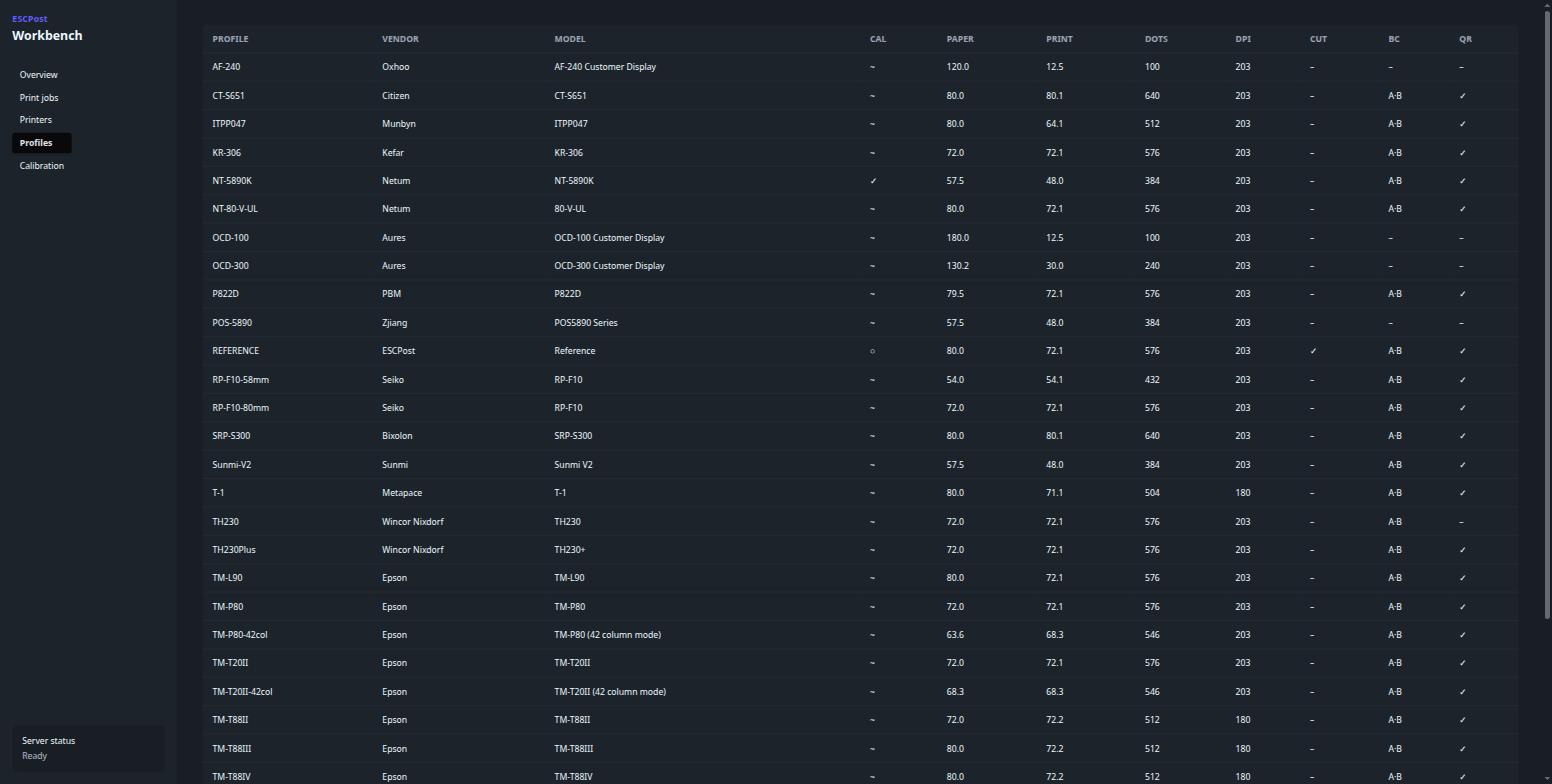
- Printable width runs from 48mm to 80mm, or 384 to 640 dots. Columns tuned for one width reflow on another.
- Most printers are 203 dpi. The Epson TM-T88 series is 180.
- The wrong code page quietly corrupts currency symbols and accented names. Your test data was probably all ASCII, so you find out in production.
Render against the profile you actually ship to, and the surprise happens on your laptop instead of in the shop.
One limit worth stating: previews show geometry and dot placement, not paper texture or a vendor's exact built-in glyphs.
Try it
brew install receiptful/tap/escpostThere are no bottles yet, so it compiles from source on the first install. Linux x86-64 is verified end to end. macOS and Windows builds exist but have not been verified natively yet, and I would rather say so than let you find out.
Source and docs: github.com/receiptful/escpost
One ask
The catalog has 32 profiles. Exactly one, the Netum NT-5890K, is calibrated against a real printer. Thirty are synthesized from vendor datasheets, which are often optimistic, and the last is the synthetic REFERENCE. The catalog marks them: ✓ calibrated, ~ synthesized, ○ virtual. So you always know which is which.
No team can buy every thermal printer. But between all of us, we already own them. If you have one on your desk, calibrating it turns a guess into something everyone shipping to that model can rely on.
ESCPost covers the local half: rendering, capturing, and debugging on your own machine. When receipts need to reach a printer in a shop you cannot SSH into, that is what Receiptful is for. The free tier covers 20 receipts a month.